7Bit
Funding an account with fewer transfer mistakes
7Bit deposit methods and network checks
7Bit supports BTC, ETH, LTC, DOGE, BCH, USDT, XRP, TRX, ADA and BNB. The most important practical step is not choosing the coin alone, but matching the asset, network and destination details shown in the payment dialog before the transfer leaves your wallet.
Supported crypto gives you several funding routes
7Bit lists ten supported crypto assets: BTC, ETH, LTC, DOGE, BCH, USDT, XRP, TRX, ADA and BNB. That breadth is useful only when the transfer details are read precisely. A ticker can look familiar while the underlying transfer route is different from the one your wallet is prepared to send.
| Asset | Network or handling detail stated | Transfer check |
|---|---|---|
| BTC | Check the payment dialog | Match the destination shown before sending |
| ETH | Check the payment dialog | Confirm the displayed network and address |
| LTC | Check the payment dialog | Use the destination shown for the selected asset |
| DOGE | Check the payment dialog | Confirm asset and address together |
| BCH | Check the payment dialog | Do not assume another Bitcoin-family route applies |
| USDT | ERC-20 | Send only through the network shown in the dialog |
| XRP | Destination tag / memo required | Copy both the address and tag |
| TRX | TRON | Match the TRON route shown |
| ADA | Check the payment dialog | Confirm the exact destination details |
| BNB | BEP20 | Use the stated BEP20 route |
The parent 7Bit payments guide covers deposits and withdrawals together. This page stays narrower: what can go wrong before a deposit reaches the casino account.
A correct coin on the wrong network can still fail
Crypto transfers are irreversible once confirmed. That changes the order of operations compared with card or bank payments. You should treat the payment dialog as the source of truth for the destination details of that specific transfer and then configure your wallet to match it.
Asset first
Select the exact asset you intend to send. Do not substitute a similarly named token or assume that one ticker automatically supports every network used elsewhere.
Network second
Where a network is explicitly stated, such as USDT on ERC-20 or BNB on BEP20, the wallet route must match the receiving route.
Destination last
Copy the address directly from the current payment dialog and re-check the first and last characters before confirming the transfer.
Network selection is not a cosmetic setting. A transfer can leave your wallet successfully and still be unusable at the destination if the route does not match.
XRP needs an extra destination detail
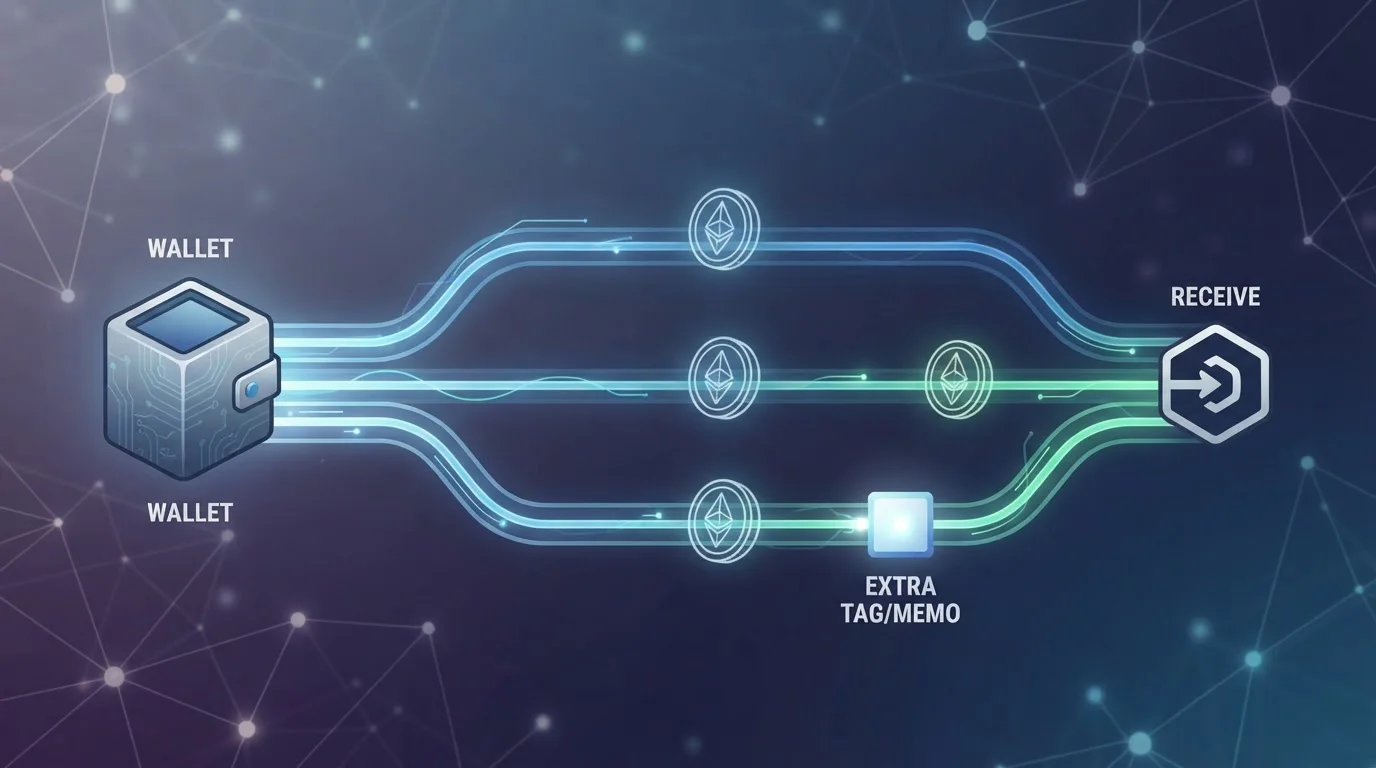
7Bit’s XRP handling includes a destination tag or memo. That means the wallet flow has two pieces of routing information: the XRP address and the tag. Copying the address but skipping the tag can prevent the receiving system from assigning the transfer to the correct casino account.
Address
The blockchain destination.
Destination tag
The account-level routing detail that must accompany the XRP transfer.
Best check
Compare both fields with the current payment dialog before confirming.
If you are new to tagged assets, use the same caution you would use with a bank reference number: the main destination can be valid while the missing reference stops the system from knowing which account should receive credit.
The minimum deposit depends on the asset or method
Published figures for 7Bit’s minimum deposit differ across sources, so there is no single deposit threshold that should be treated as universal. The practical number is the one shown for the selected asset or payment method in the current payment dialog.
Use the live payment dialog
- Choose the intended asset first.
- Read the minimum shown for that route.
- Re-check it before each transfer rather than relying on an old figure.
Avoid stale assumptions
- Do not reuse a threshold from another coin.
- Do not treat one review’s figure as site-wide.
- Do not assume fiat and crypto minimums are identical.
This matters because a transfer below the active threshold may create a support problem after the blockchain transaction is already irreversible. The account guide also explains how support and verification can come into play later in the payment cycle.
Casino fees and network fees are separate costs
7Bit does not add a platform deposit fee. A crypto transfer can still cost money because the sending wallet or blockchain network may charge its own transaction fee. Those two layers should not be confused.
| Cost layer | What it means | What to inspect |
|---|---|---|
| Casino deposit fee | No platform deposit fee is added by 7Bit | Deposit summary |
| Network fee | Blockchain-side cost can still apply | Your wallet before broadcast |
| Exchange or wallet fee | Depends on the service you use to obtain or send crypto | Your provider’s transaction preview |
A zero platform fee therefore does not mean the transfer is cost-free. The useful comparison is the final amount leaving your wallet versus the amount expected to reach the destination, with all network-side charges visible before you approve the transaction.
Fiat is available, but the site remains crypto-first
Fiat deposit options are present alongside the crypto routes. The operational difference is that fiat payments are not blockchain transfers, so network selection and destination tags do not apply in the same way. The active payment dialog still matters because method availability and thresholds are route-specific.
Choose the payment method first, then read the current minimum and processing details shown for that route. Do not carry assumptions from a crypto deposit into a fiat deposit or vice versa.
Small transfer checks matter most before broadcast
A crypto deposit becomes difficult to correct once it is on-chain. That means the best error-prevention work happens before the send button is pressed. The practical objective is to eliminate ambiguity while the transaction is still editable inside your wallet.
When switching coins
Re-open the deposit dialog after changing from one asset to another. A destination copied for BTC should not remain in your clipboard when you move to ETH, USDT or another route.
When switching networks
Do not rely on a wallet’s default network selection. Compare the route displayed by the casino with the network selected in the sending wallet before confirming.
When using tagged assets
For XRP, treat the destination tag as part of the address package. Saving only the main address is incomplete handling for that transfer.
A useful habit is to read the transfer from top to bottom one final time: asset, network, destination address, any required tag, amount, and fee. That sequence is simple enough to repeat every time and catches the most consequential mistakes before they become irreversible.
What a deposit confirmation actually tells you
A wallet confirmation tells you that the transaction was created or broadcast; it does not automatically mean the casino balance has been credited. Blockchain confirmation and account credit are related but distinct stages. Keeping the transaction identifier gives you a durable reference if the balance does not update as expected.
For a clean support trail, preserve three pieces of information after sending: the asset and network used, the destination details that were shown at the time, and the transaction reference. None of these replace the payment dialog, but together they make it much easier to identify whether an issue is a network mismatch, missing tag, threshold problem or delayed account credit.
If the transaction is already on-chain, avoid creating a second transfer simply because the first one has not appeared yet. Check the original transfer status and the account balance first.
A seven-step routine catches most avoidable deposit errors
- Open the deposit area and select the exact asset or fiat method you plan to use.
- Read the minimum shown for that route instead of relying on a remembered number.
- If the asset uses a stated network, match it exactly in your wallet.
- For XRP, copy both the address and destination tag or memo.
- Check the wallet’s network fee before broadcasting the transaction.
- Re-read the destination details, especially after switching assets or networks.
- Keep the transaction reference until the balance is credited.
If a deposit later appears missing, keeping the transaction reference makes it easier to explain what happened. The sibling 7Bit withdrawals guide uses the same stage-by-stage approach for cashouts, where verification and approval can add extra steps.
Read next
Deposit discipline matters more than speed
7Bit gives crypto users a broad set of supported assets, with specific handling details stated for USDT, TRX, BNB and XRP. The most reliable deposit routine is to treat every transfer as route-specific: select the asset, match the network, copy every required destination field, check the active minimum, and only then send. Crypto values can move while a transfer is pending, and blockchain transactions can be irreversible.
Published by the 7Bit team.